Sideline Sidekick
I designed a mobile app that reduced search time by 47% for sports medicine physicians
Product Design
Content Design
0 to 1
Agile
Overview
MY ROLE
Product Designer
TIMELINE
November 2023 - April 2024
TEAM
3 Designers
9 Engineers
1 PM
TOOLS
Figma
Firebase
React
Impact Metrics
CONTEXT
Sports medicine decisions happen in fast, high-pressure environments
As a designer at Triton Software Engineering, I worked with UC San Diego’s Department of Family Medicine Division of Sports Medicine (DFMDSM), whose 56 physicians serve professional sports teams such as US Women's Soccer, US Figure Skating, and San Diego Padres.
THE PROBLEM
Why existing tools weren't working

Physicians need quick confirmation during a game, not a study manual
Physicians had to dig through a 170+ page PDF, making the injury process slow and inefficient, when decisions need to be made urgently to treat athletes.
!
Complex navigation
The PDF is unorganized and lengthy, causing excessive scrolling to locate the desired injury protocol.
!
Lack of search functionality
Finding specific injuries / relevant info is difficult without a structured search process.
!
Poor visual cues / organization
Lack of logical hierarchy in organizing injuries plus low visual cues makes it difficult to digest crucial details.
USER JOURNEY
The MVP focused on finding the right injury protocol fast
With a tight timeline*, I prioritized the features that would make the app immediately useful based on impact and feasibility tradeoffs. From there, we pitched a focused MVP to the client to start building quickly. The core flow: search → injury → protocol.
*This was a pro-bono project done by a student team, so we had limited time and resources.
1
Live search function
Users can search for medical issues / situations using keywords
2
Access medical emergencies
Users can easily access medical emergency protocol
3
Find injury protocol
Users can find how to treat specific injuries
INFORMATION ARCHITECTURE
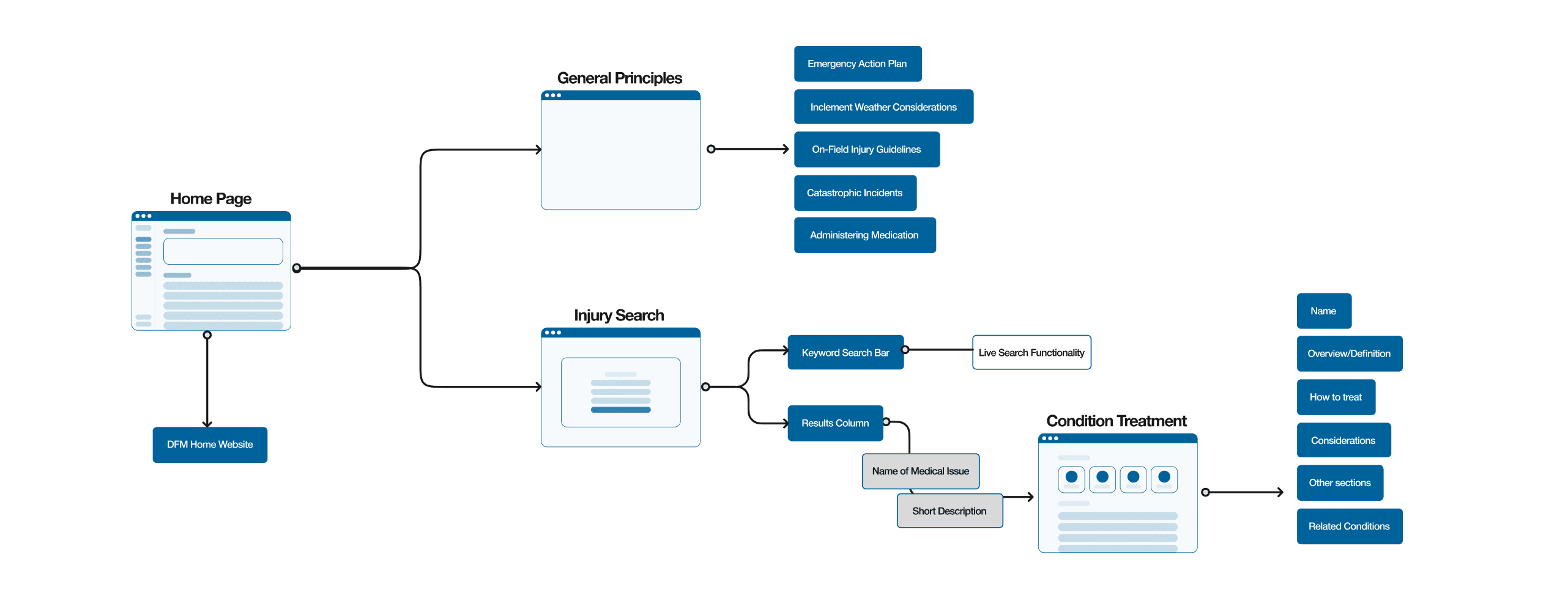
I structured content around how physicians think under pressure
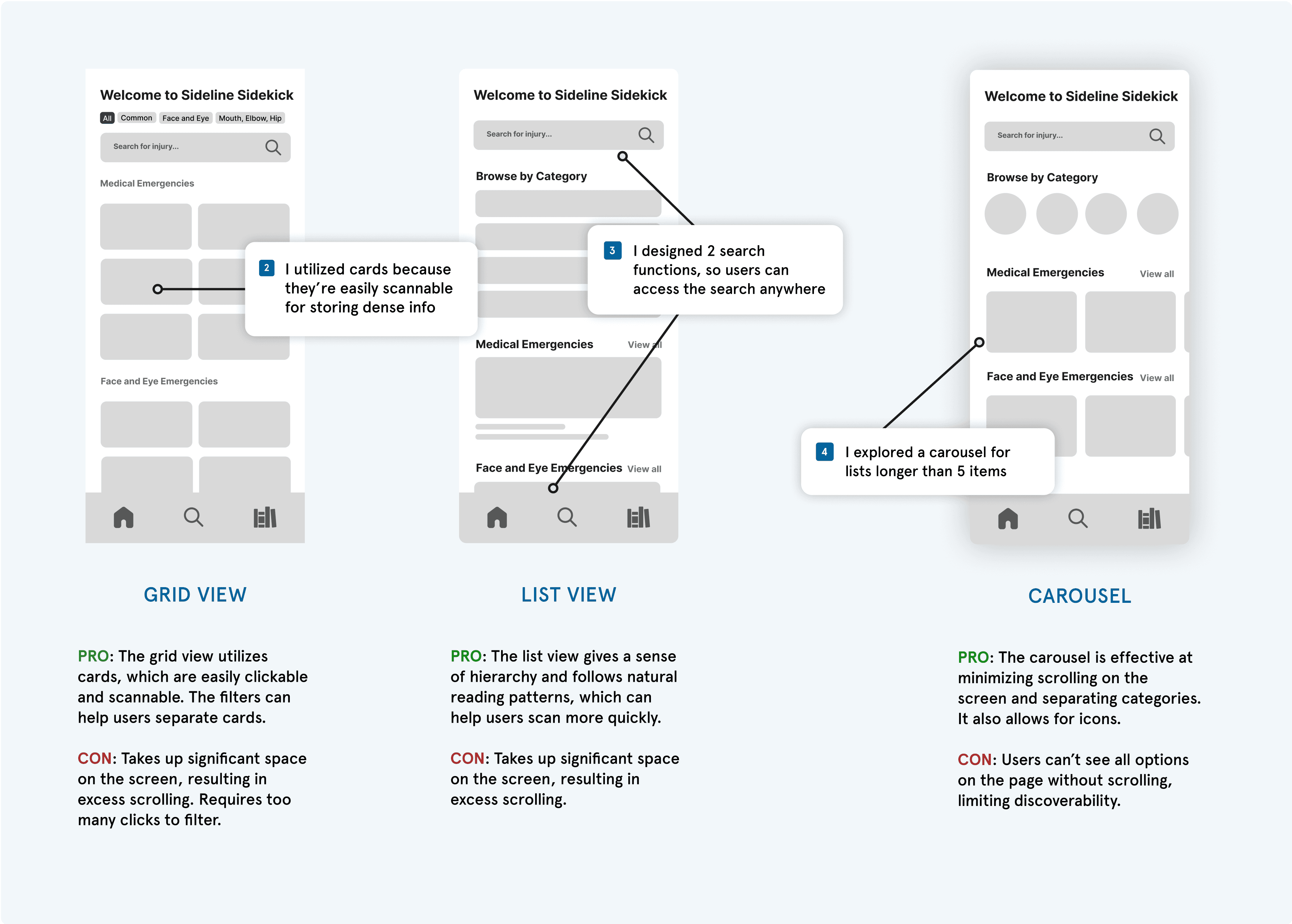
With over 150 medical injuries to include, the focus of the home page was content organization. I explored three content layouts — grid, list, and carousel — and evaluated them using usability metrics to reduce clutter and scrolling. Physicians reviewed the options early to ensure the information architecture felt intuitive and required a minimal learning curve.
VISUAL DESIGN
My decision to pivot: prioritizing clarity over bias
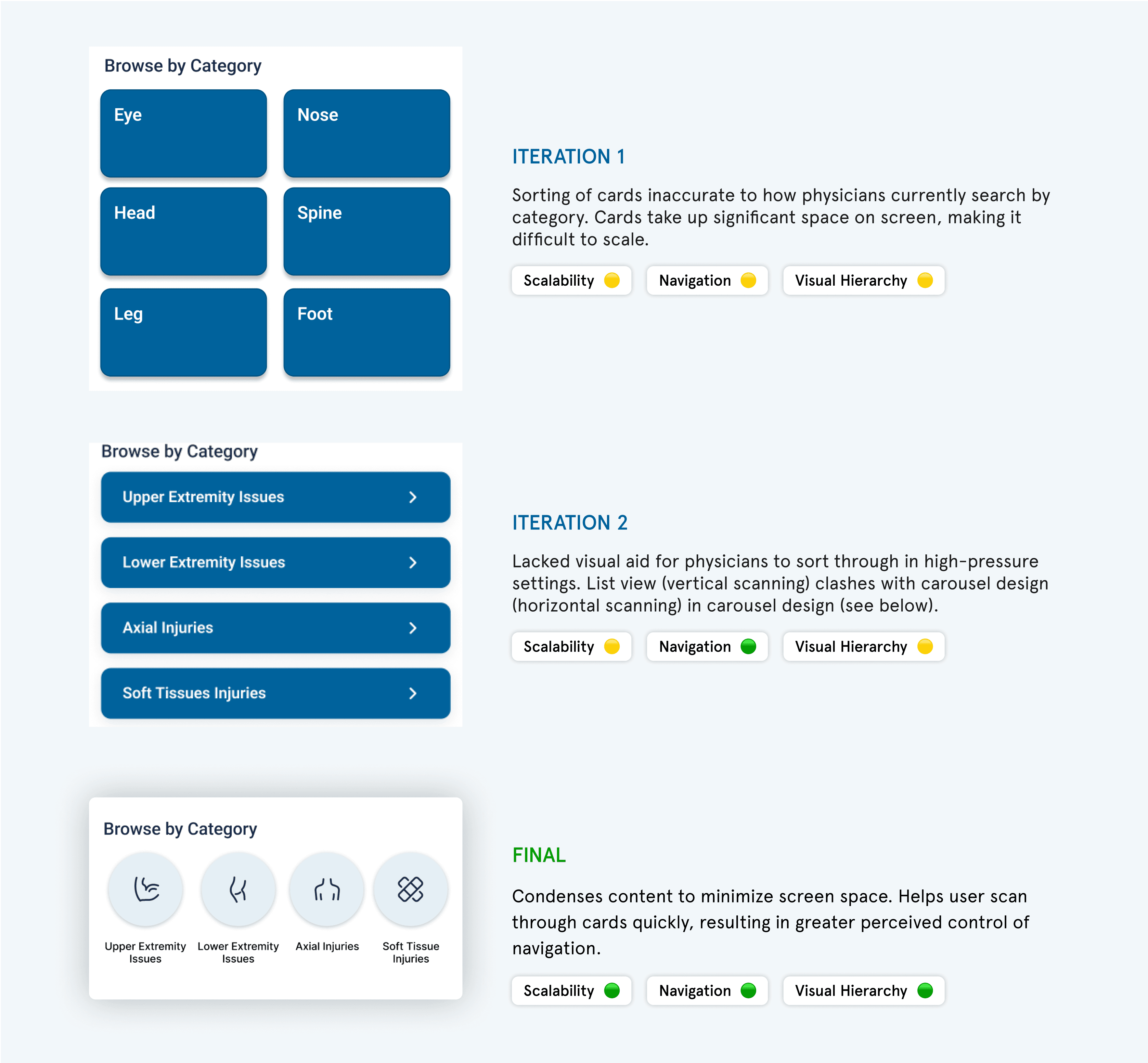
My initial idea of organizing injuries by anatomy didn’t match the way physicians actually think through injuries in real time, so I shifted the approach and redesigned the ‘Browse by Category’ cards. The goal was to keep the home page clean while making key options easy to find, and usability testing helped me confirm what worked best in terms of scalability, navigation, and visual hierarchy.
ITERATIONS
How user testing shaped the final search experience
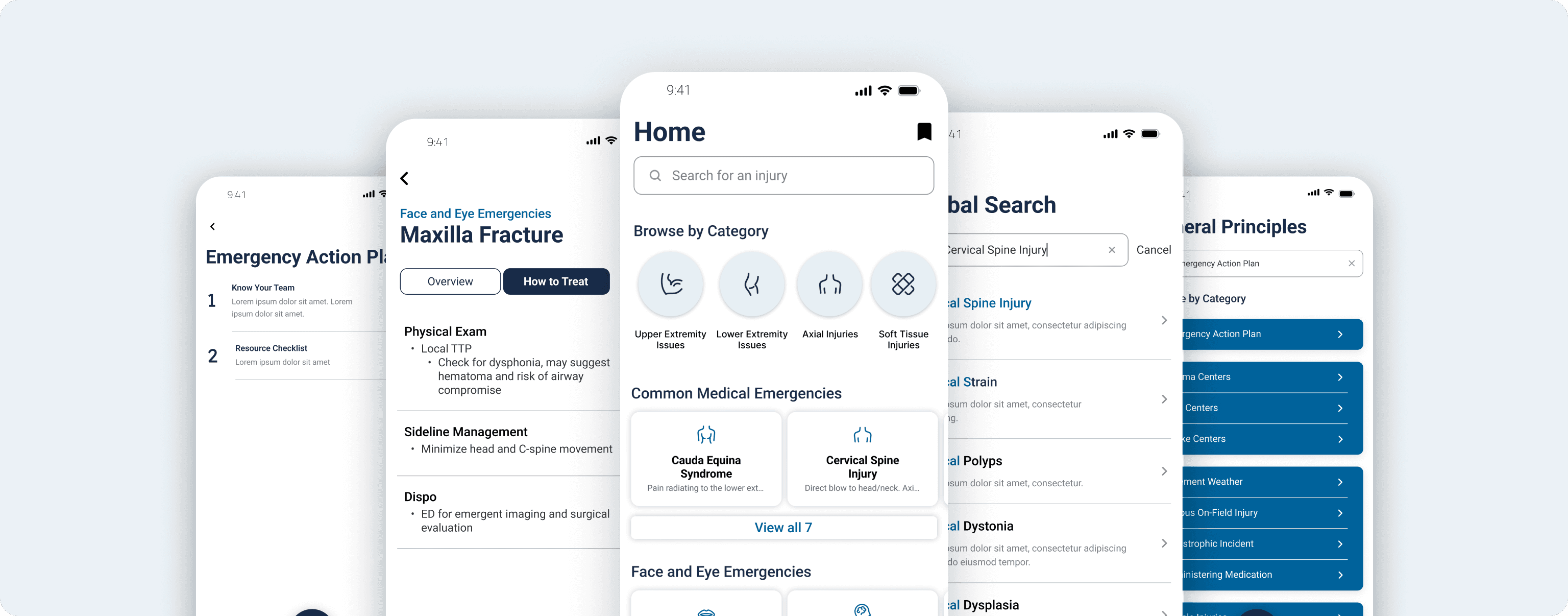
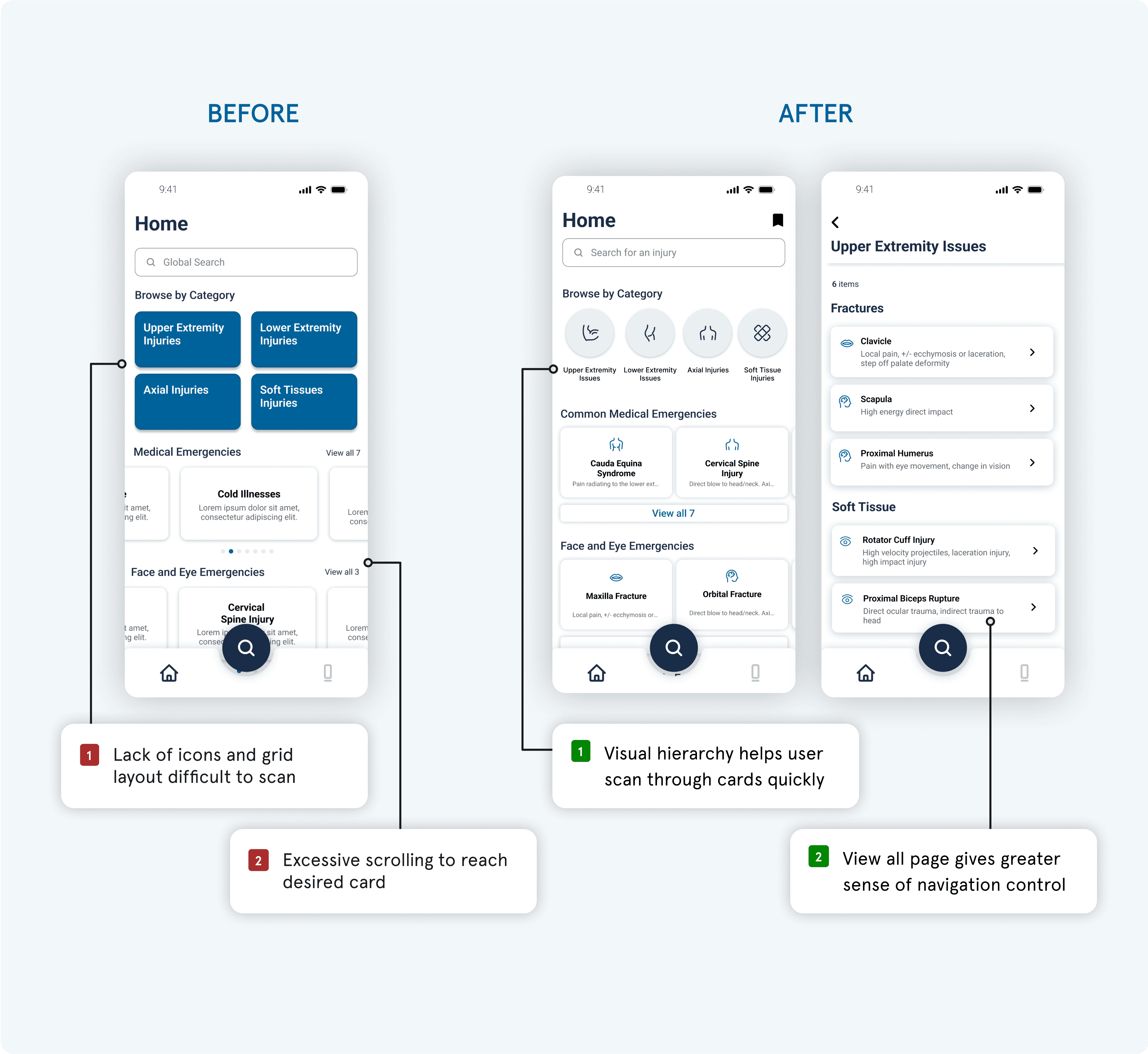
Given feedback from 2 separate usability testing sessions, I iterated my designs into the new search flow. The final version utilizes visual hierarchy principles, icons, and call to actions to help physicians best navigate through dense information when searching for injury protocol in high-pressure settings.
DESIGN SYSTEM
Designing for interfaces at scale
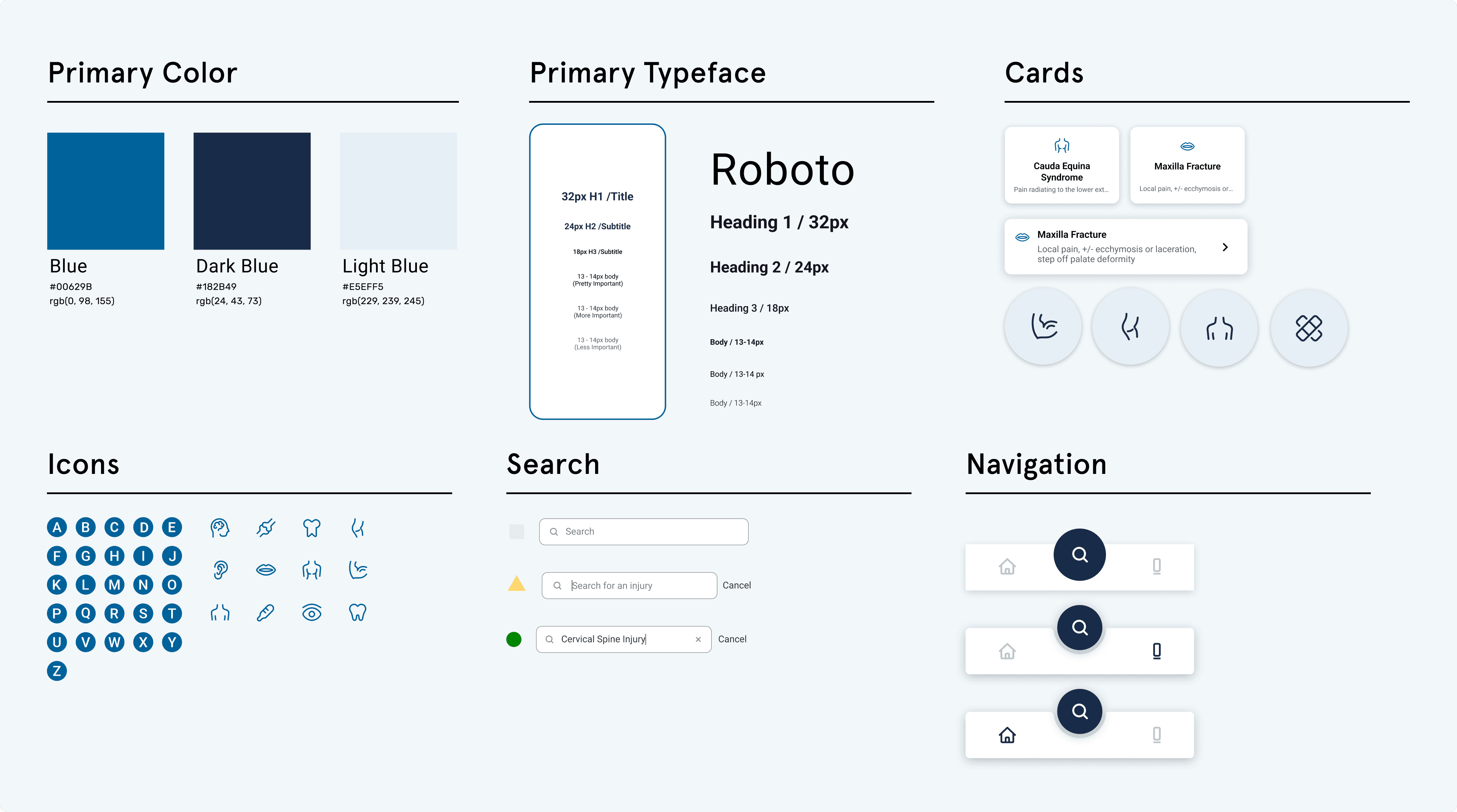
Because our client asked us to follow UC San Diego’s branding, we utilized their color palette and typeface. Since there were 3 designers on the team, we collaborated to build a design system to reuse standardized components and maintain interface consistency. I designed cards for users to visualize medical conditions, exploring edge cases with icons and truncated text.
FINAL SOLUTIONS
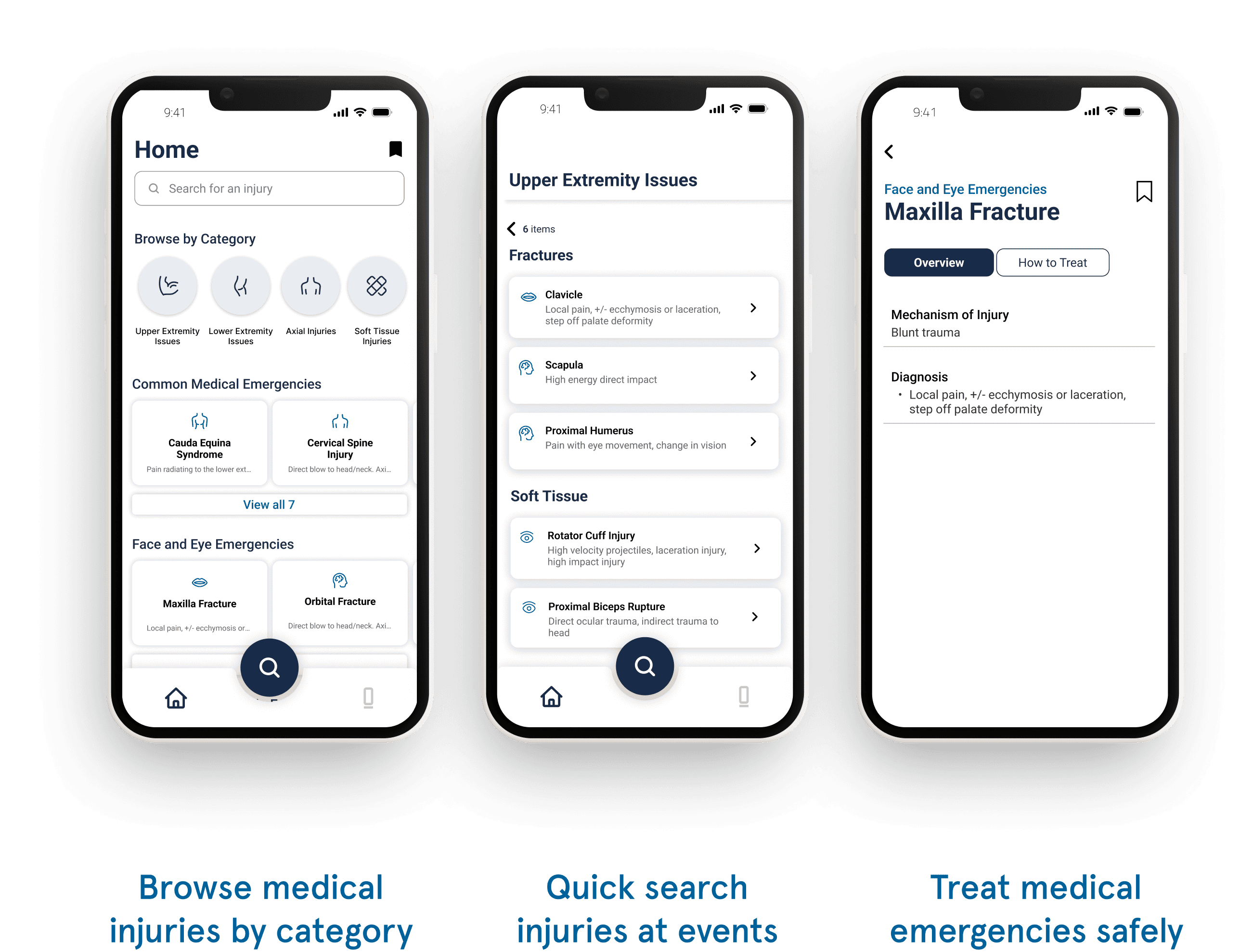
Quickly access a medical emergency at events
Used in high pressure settings, physicians can spend less time searching for injury protocol and more time treating athletes.


Look up injury treatment protocol anytime, anywhere
Quick search and identify injuries with key words. Designed for sports medicine physicians to access medical library of 150+ injuries.
My final solution streamlines navigation, increases discoverability, and establishes visual hierarchy — helping physicians treat injuries easier and quicker.